Open Camera1.56.2
Publisher Description
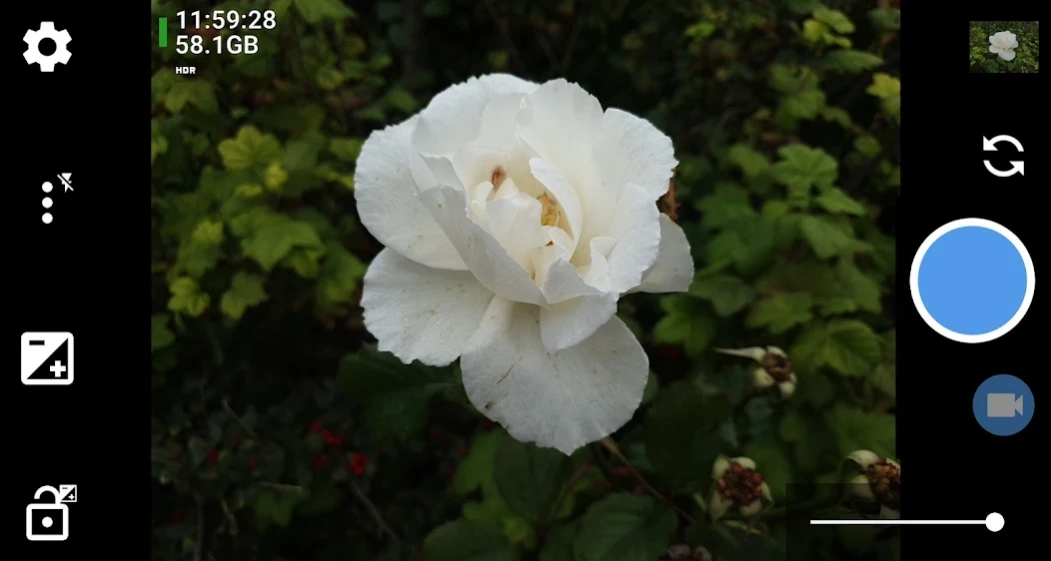


Open Source Camera app.
Open Camera has the following features:
* Option to auto-level so your pictures are perfectly level no matter what.
* Expose your camera's functionality: support for scene modes, color effects, white balance, ISO, exposure compensation/lock, selfie with "screen flash", HD video and more.
* Handy remote controls: timer (with optional voice countdown), auto-repeat mode (with configurable delay), Bluetooth LE remote control (for specifically supported smartphone housing).
* Option to take photo remotely by making a noise.
* Configurable volume keys and user interface.
* Upside-down preview option for use with attachable lenses.
* Overlay a choice of grids and crop guides.
* Optional GPS location tagging (geotagging) of photos and videos; for photos this includes compass direction (GPSImgDirection, GPSImgDirectionRef).
* Apply date and timestamp, location coordinates, and custom text to photos; store date/time and location as video subtitles (.SRT).
* Option to remove device exif metadata from photos.
* Panorama, including for front camera.
* Support for HDR (with auto-alignment and ghost removal) and Exposure Bracketing.
* Support for Camera2 API: manual controls (with optional focus assist); burst mode; RAW (DNG) files; camera vendor extensions; slow motion video; log profile video.
* Noise reduction (including low light night mode) and Dynamic range optimisation modes.
* Options for on-screen histogram, zebra stripes, focus peaking.
* Focus bracketing mode.
* No third party ads in the app (I only run third party ads on the website). Open Source.
(Some features may not be available on all devices, as they may depend on hardware or camera features, the Android version, etc.)
Website (and links to source code): http://opencamera.org.uk/
Note that it's not possible for me to test Open Camera on every Android device out there, so please test before using Open Camera to photo/video your wedding etc :)
App icon by Adam Lapinski. Open Camera also uses content under third party licences, see https://opencamera.org.uk/#licence
About Open Camera
How to install Open Camera on your Android device:
- Click on the Continue To App button on our website. This will redirect you to Google Play.
- Once the Open Camera is shown in the Google Play listing of your Android device, you can start its download and installation. Tap on the Install button located below the search bar and to the right of the app icon.
- A pop-up window with the permissions required by Open Camera will be shown. Click on Accept to continue the process.
- Open Camera will be downloaded onto your device, displaying a progress. Once the download completes, the installation will start and you'll get a notification after the installation is finished.
Program Details
System requirements
Download information
Pricing
Version History
version 1.56.2
posted on 2026-05-27
New optional on-screen icons for locking orientation to portrait/landscape, and preview shots. Grids now rotate when auto-level is enabled. Exif tags now supported for WebP and PNG image formats. Panorama photos now store XMP metadata to mark these as panorama images (JPEG formats only).
Photos no longer save on UI thread when using "Pause after taking photo" option.
Various other improvements and bug fixes.
version 1.55
posted on 2026-05-27
More crop guides: 65:24 and 3:1. Shutter button now changes to a red square when recording video. Show current save location in settings. Don't block UI thread when first starting camera preview (for Camera2 API with Android 14+).
Removed -/+ controls for zoom and exposure compensation.
Various other improvements and bug fixes.
version 1.54.1
posted on 2025-08-18
New features for supported devices (for Camera2 API): Preview Shots enables a short video saved alongside photos containing shots from moment before photo was taken. Support for choosing a specific lens. UltraHDR.
Haptic feedback. Can be disabled under Settings/More camera controls/"Allow vibration feedback".
New options: "Use milliseconds in filename" and "Optimise focus for".
Double tap to cancel focus/metering area.
Fixes for manual white balance. Various other improvements / bug fixes.
version 1.53.1
posted on 2025-04-09
Improved user interface icons. Smoother zoom for Camera2 API. Camera vendor extensions show percentage progress on supported Android 14 devices.
New option for on-screen icon to enable/disable focus peaking.
Support for themed/monochrome application icon.
Fixed poor performance if using Storage Access Framework when save folder had many files.
Various other improvements and bug fixes.
Fixed bugs in 1.53 related to video subtitles option.
version 1.52
posted on 2024-06-05
Improvements for pinch zooming. Fixes for split-screen and multi-window mode. Support for zoom and on-screen ISO/exposure display when using camera vendor extensions (for supported Android 13+ devices).
"Touch to capture" option now supports starting and stopping video. No longer cancel panorama when rotating device too far in wrong direction.
Applied a 2s timeout for focusing with original camera API.
Various other improvements and bug fixes.
version 1.51.1
posted on 2023-08-13
New options under "Photo settings" to remove device EXIF metadata, and choose HDR tonemapping algorithm. Improvement to HDR algorithm for dark scenes.
Default to Camera2 API for some devices; default to flash off (will only take effect for new installs or if resetting settings).
Various fixes for slow focusing for Camera2 API, incorrect thumbnail orientation, focus bracketing, geotagging.
X-Night mode now adds "_Night" to filename.
Various other UI improvements and bug fixes.
version 1.49.2
posted on 2022-01-14
Fixed crash for NR photo mode on some devices since version 1.49.
Support for latest emoji.
Made appearance of info "toasts" more consistent.
version 1.48.3
posted on 2021-09-21
Support for Android 10+ scoped storage. Note this means for Android 10+:
* Saving outside of DCIM is no longer possible unless using Storage Access Framework option. If you had set up a save folder outside of DCIM on Android 10+ it will reset to the default. Enable Settings/More camera controls/"Use Storage Access Framework" to save outside DCIM.
* If using Video subtitles, then .SRT files will show up in gallery apps unless using Storage Access Framework option.
Various bug fixes.
version 1.48.2
posted on 2020-11-21
Bug fixes: Video subtitles would stop before end of video on some devices when using Storage Access Framework. Manual focus and focus bracketing seekbars weren't being hidden when in immersive mode.
Artist, Copyright exif tags options now supported for devices running Android 6 or earlier.
Switched to AndroidX support library.
version 1.48.1
posted on 2020-07-13
New icon for switching between multiple cameras (note not all devices expose multiple cameras to third party apps). For old behaviour disable Settings/On screen GUI/"Multiple cameras icon".
Aperture control (on supported devices, Camera2 only). Flash now supported for manual ISO/exposure. More custom video profiles. Improvements for log profiles (note this means behaviour of these profiles has changed). Auto-level feature now shows on-screen rectangle.
Bug fixes and other improvements.
